Work Requests
Report with a scan, assign and close in one inbox
Anyone scans a QR label and reports a problem; your team sees every request in one inbox, assigns it and closes it.
- No app and no sign-in to report
- Up to three photos on every request
- Response and close times as PDF or CSV
14-day free trial · no credit card needed
Requests inboxSample requests
- Safety requests are emailed to owners and admins
- Assign, comment and close with a note
- Moves up to Maintenance & Inspection
Everything between "something is broken" and "it is fixed"
From the label on the wall to the closing note, every request stays in one place.
A QR label on every asset
Printed eight to a sheet, or one large sign to a page.
No app, no account
Reporters scan with a phone camera and fill in a short form.
How bad it is
Out of use, a safety issue, needs a look, or not a fault.
"I'm seeing this too"
Repeat reports join the open request: one, not ten.
One inbox
New, in progress and done, with safety requests on top.
Reports that answer how fast
Requests by month, severity, asset and area, with response and close times.
See every request and how fast you answer
One inbox for the whole team, with the reports beside it.

The tool in use, with sample records.
How it works
From a label on the wall to a closed request, in three steps.
A QR label on each room or machine
Print the labels and stick them up. Anyone who sees a problem scans one with a phone and says what is wrong, with photos and no sign-in.
Every request in one inbox
New, in progress and done. Assign each request to a teammate, comment on it and close it with a note.
See how fast you answer
Requests by asset, severity and month, with the time to first response and to close, as a PDF or CSV.
A closer look at the daily workflow
The four screens reporters and your team use most.
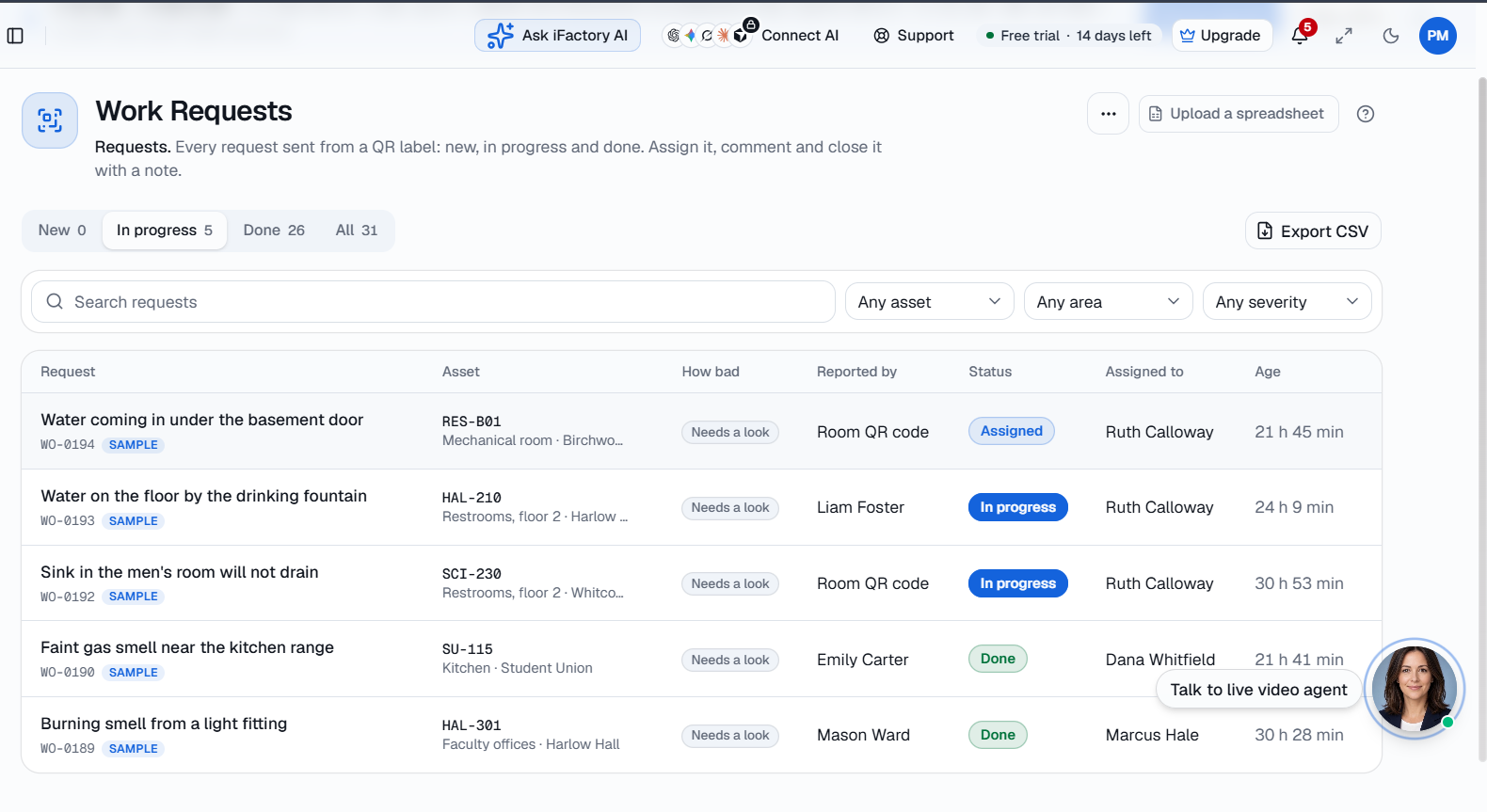
One inbox: new, in progress, done
Every request lands under New, with out-of-use and safety requests at the top.
- Assign it to a teammate, comment and add photos
- Put it on hold while you wait for a part
- Close it with a note of what was done
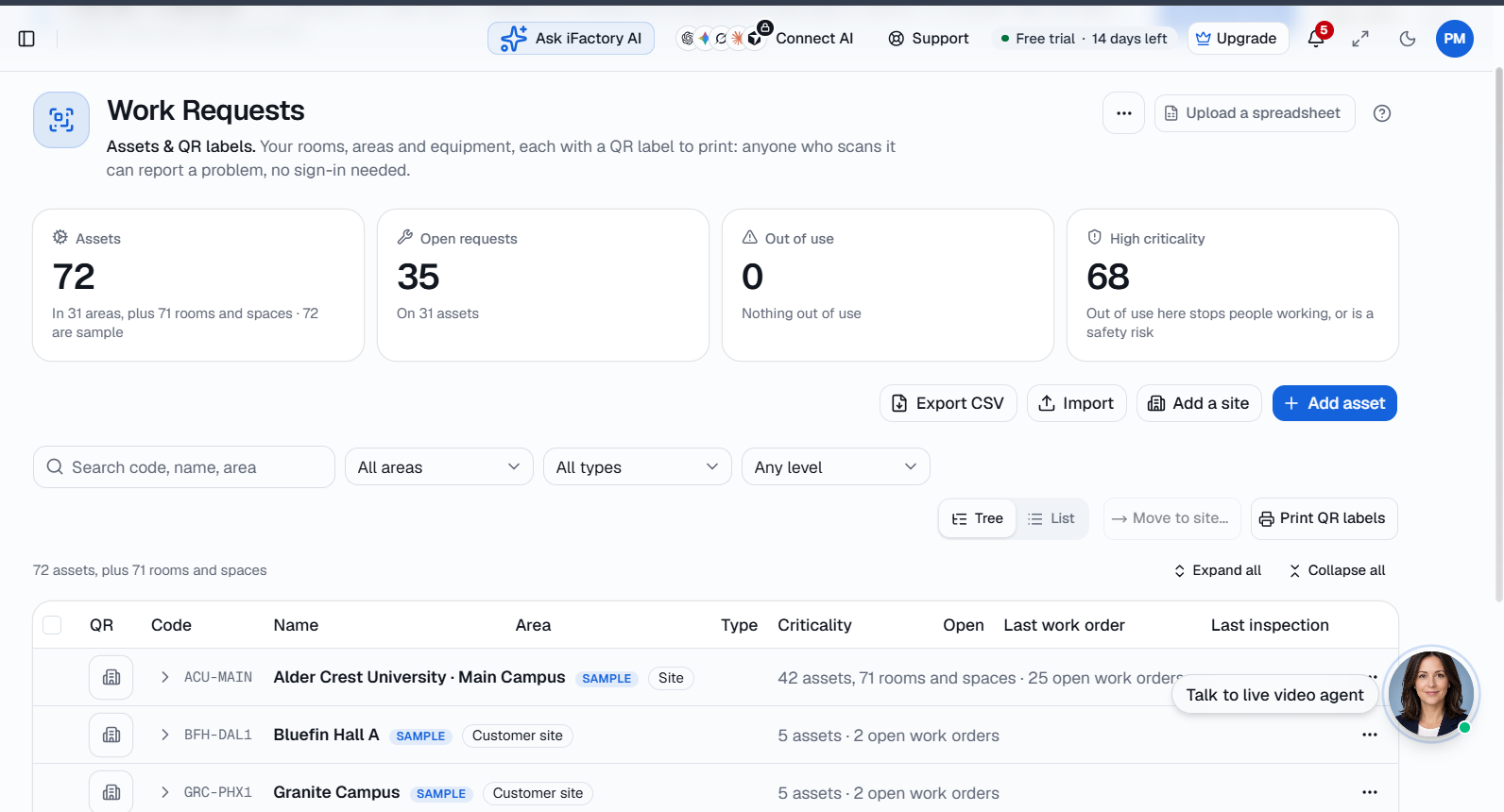
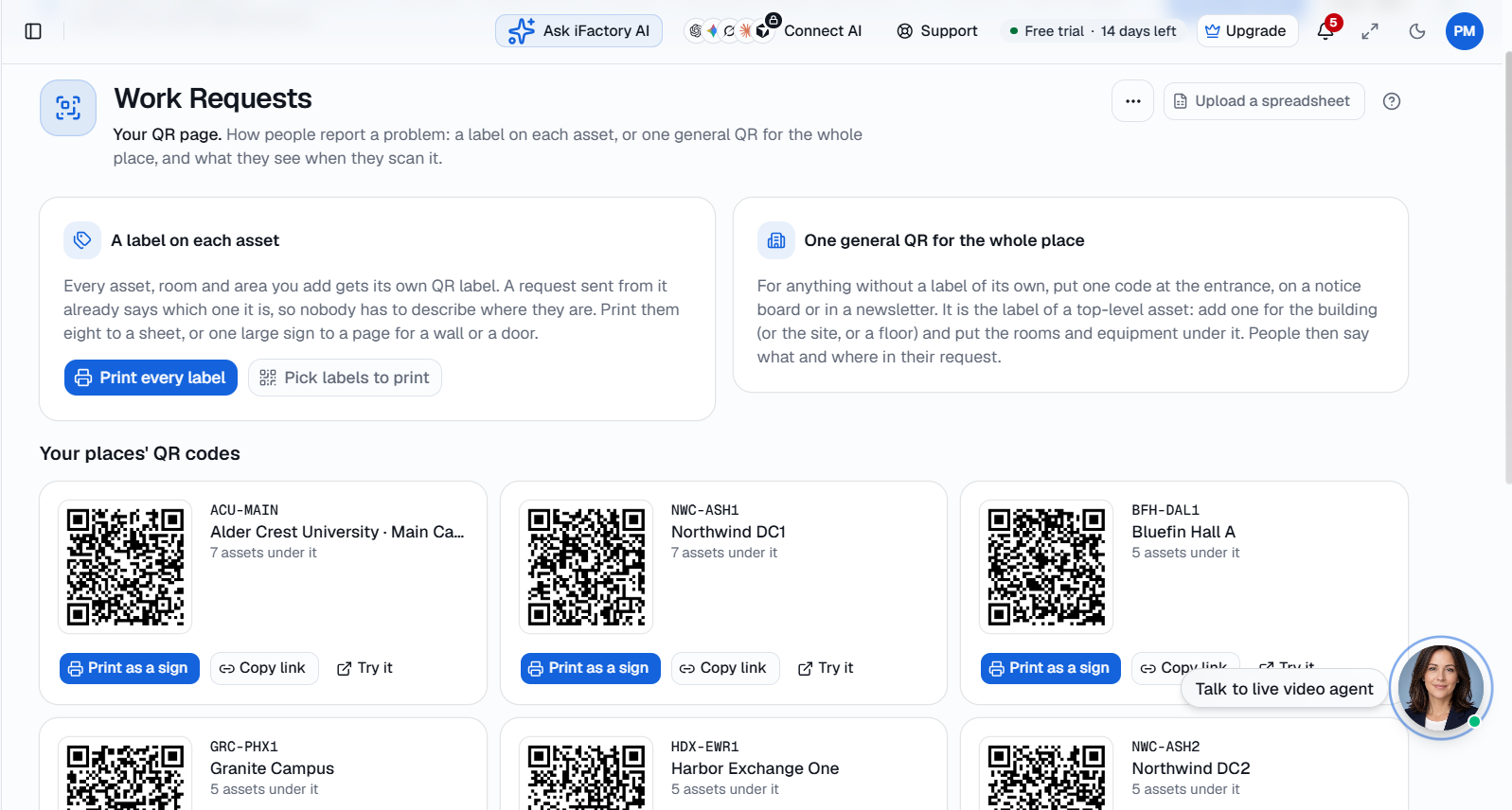
A QR label for every room, area or machine
Add assets one at a time or import a spreadsheet, and put rooms and equipment under their building.
- Labels printed eight to a sheet, or one large sign to a page
- A request from a label already says which asset and area
- One general QR for the whole building
Reporting takes a phone and thirty seconds
The person scanning needs no app and no account.
- Say what is wrong and choose how bad it is
- Up to three photos, and a name if they like
- Tap "I'm seeing this too" if it is already reported
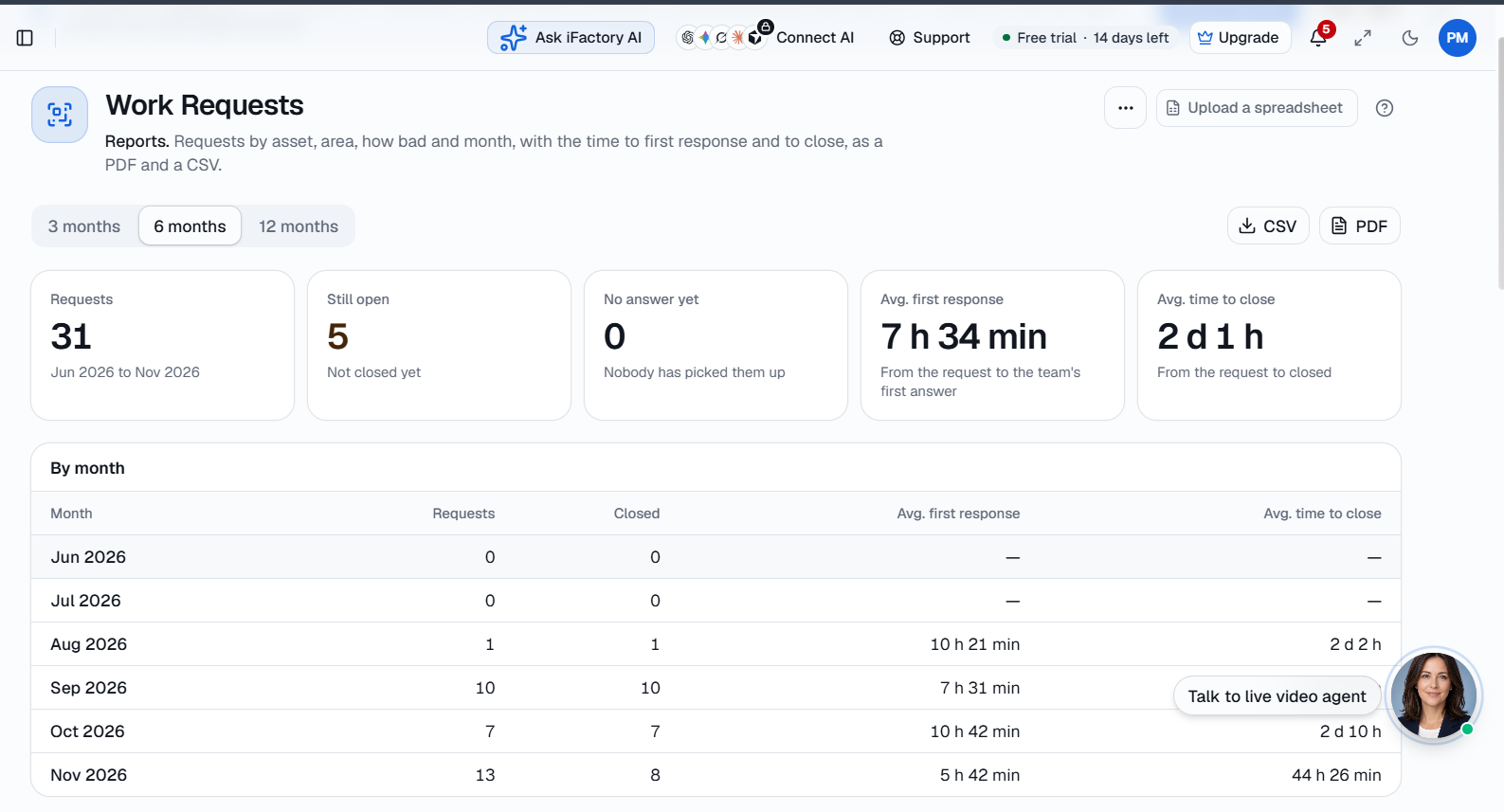
Reports that answer how fast and where
See which restroom or door keeps coming back, and whether safety requests are answered first.
- Requests by month, severity, asset and area for 3, 6 or 12 months
- Average time to first response and to close
- A PDF for a meeting, a CSV for a spreadsheet
Included with every tool
The basics your team needs from day one.
Your whole team
Invite colleagues; owners and admins manage access.
iFactory AI
Ask questions and get answers from your own records.
Your data stays yours
Export everything to Excel or PDF, any time.
Hosted in the United States
Each company's records are kept separate.
Built for the people who answer the problem
In most buildings and small plants, problems still arrive as a word in the hallway.
Facility managers
One inbox instead of notes, calls and emails.
Building managers
Rooms and equipment sit under the building they are in.
Plant managers
A label on a packing line or a machine works the same way.
Schools and offices
Classrooms, restrooms and doors, each with its own label.
What changes once labels are up
Nobody has to describe where they are standing.
One request, not ten
Repeat reports join the open request.
Waiting becomes visible
You can say how long people wait for a first answer and for a fix.
Safety comes first
Out-of-use and safety requests sit on top and are emailed to owners and admins.
Room to grow
Move up to Maintenance & Inspection with every asset and request kept.
Questions facility teams ask
Short answers before you start.
Do the people reporting need an account or an app?
Can I have one QR code for the whole building instead of a label everywhere?
How do we stop the same problem being reported ten times?
Does it need any AI to work?
What happens to our requests if we move up to Maintenance & Inspection?
Can we try it with a sample building?
Can I bring my existing spreadsheet?
Do I need a card for the trial?
Print eight labels to a sheet and stick them up
Anyone who sees a problem scans a label and reports it with photos. You see it in one inbox, assign it and close it.
Start free trial- 14-day free trial
- No card needed
- Sample building included