PMs Due by Date or Meter — Whichever Comes First
List each asset's PM plans, see what's overdue or due this week, print the PM sheet, and mark it done or skipped — with compliance tracked by month and by asset.
- ✓ Due list split into Overdue, Due this week and Next 30 days
- ✓ Printable PM sheet with tasks, parts and a QR code
- ✓ PM compliance %, by month and by asset
- ✓ Due by date, meter, or whichever comes first
- ✓ PM sheet with QR code, opens on a phone
- ✓ Done or skipped, with reason, kept in history
Preventive maintenance, off the wall planner and into one record
PM plans per asset
Every 3 months, every 500 run hours, or whichever comes first.
Meter readings
Log run hours, km or cycles; the app learns usage and predicts when a PM falls due.
One due list
Overdue, due this week and the next 30 days, grouped by asset.
Printable PM sheet
Tasks, parts and tools, a signature box, and a QR code to open it on a phone.
Done or skipped
Mark it done with hours and notes, or skipped with a reason — either way it's on record.
PM compliance
Share done on time, by month and by asset, as PDF or CSV.
Every asset, every plan, one place to check what's due

The overview, with sample records: assets, plans and what's due across the plant.
From the asset list to the compliance report
List your assets and their PMs
Each asset with its plans: every 3 months, every 500 run hours or every 10,000 km, whichever comes first. Import a spreadsheet or start from the sample.
See what's due and print the sheet
What's due this week and what's overdue, with a printable PM sheet of each plan's tasks and parts.
Mark it done and track compliance
Mark each PM done or skipped with a reason; compliance shows how many were done on time, by month and by asset.
Where the planning actually happens
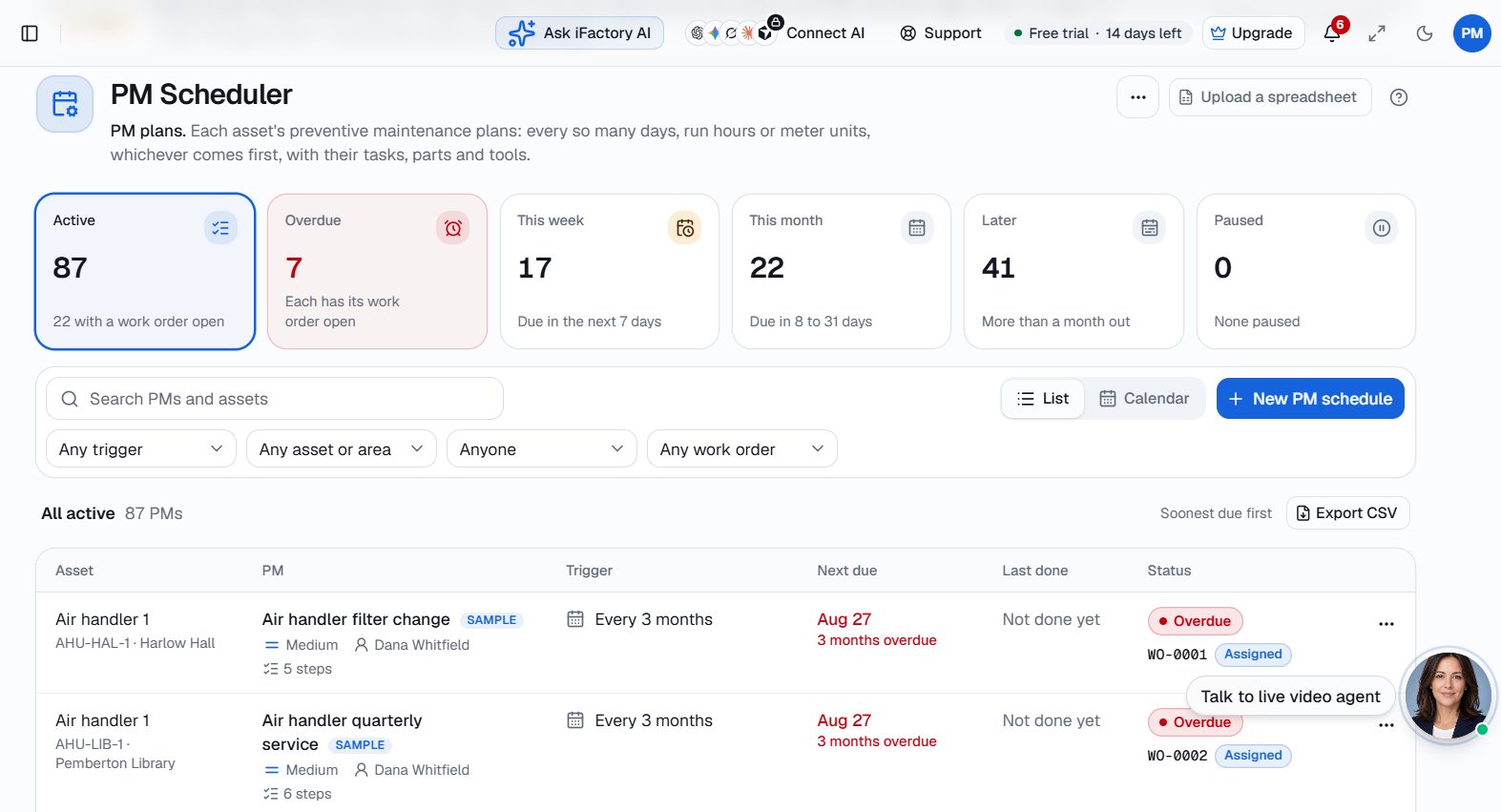
PM plans
Lubricate the conveyor every month, change the compressor oil every 500 run hours, service the forklift every 3 months or 250 hours — whichever comes first.
- ✓ Each plan carries its tasks, parts, tools and usual owner
- ✓ Counts from its due date, or from the day it was last done
- ✓ A meter reading below the last one is refused unless replaced
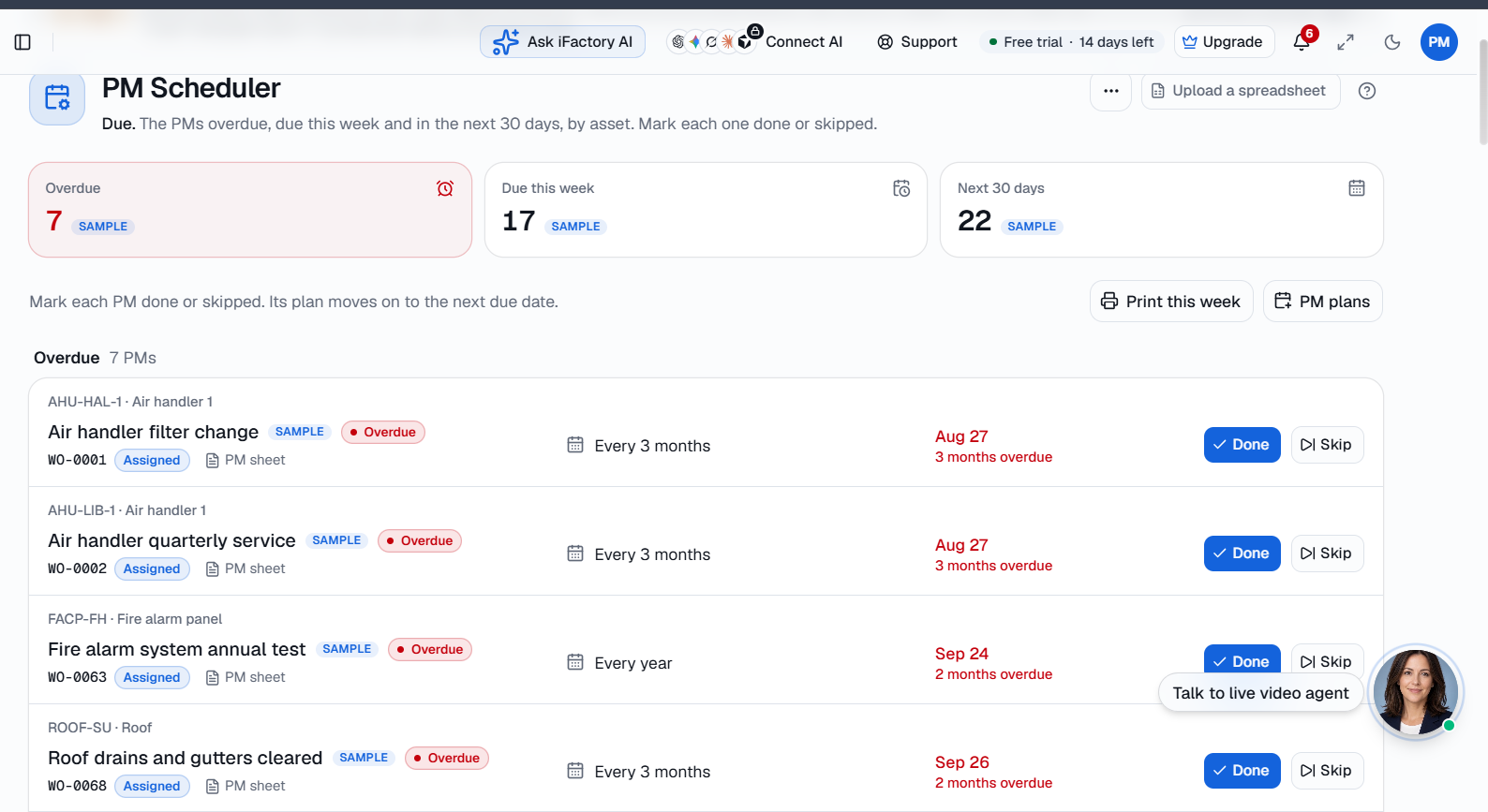
The due list
Every PM in three groups — overdue, due this week and the next 30 days — by asset.
- ✓ A meter PM shows the day it's expected, not just the reading
- ✓ Mark Done with notes, hours and the meter reading
- ✓ Or mark Skipped with a reason — the plan moves on either way
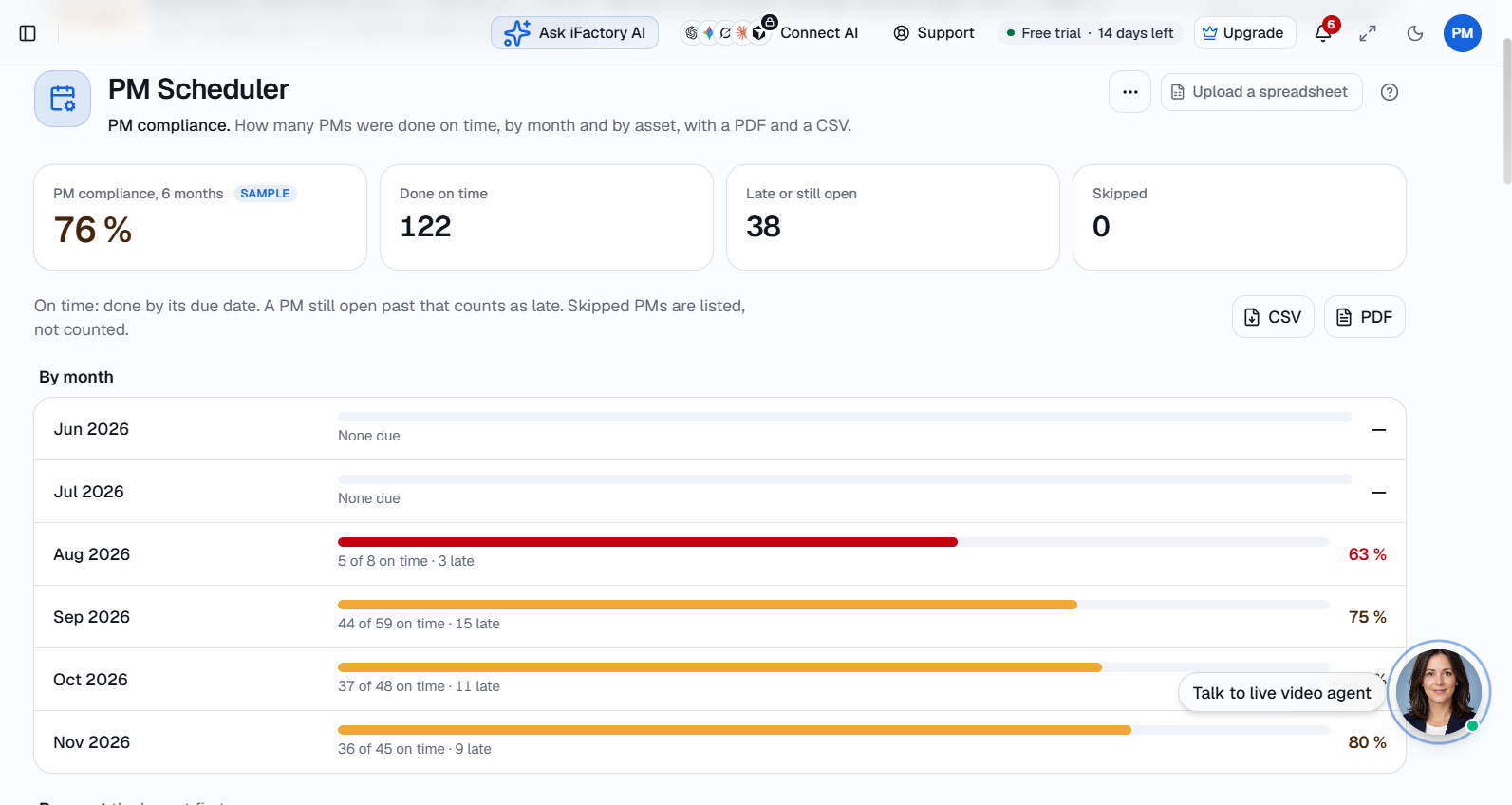
PM compliance
The share of PMs done on time, by month and by asset — on time meaning by the due date plus the grace days you set.
- ✓ A skip always counts as not done on time
- ✓ History keeps who, when, notes, hours and skip reasons
- ✓ Download as CSV, or the compliance report as PDF
No separate add-ons to buy
Your whole team
Invite colleagues; owners and admins manage access.
iFactory AI
Ask questions and get answers from your own records.
Your data stays yours
Export everything to Excel or PDF, any time.
Hosted in the United States
Each company's records are kept separate.
Built for plants running PMs off a calendar or a meter
Manufacturing plants
Conveyors, compressors and production equipment on a fixed PM rhythm.
Fleet & mobile equipment
Forklifts and vehicles due by km or run hours as much as by date.
Facilities teams
HVAC, generators and building systems with seasonal and run-time PMs.
Growing maintenance teams
Starting on PMs alone, with Maintenance & Inspection ready when they need more.
What's different once it's running
A busy week doesn't quietly drop a PM — overdue sits at the top of the list.
No more wall chart or spreadsheet to keep in sync by hand.
"How many PMs were done on time last quarter" has a number, not a guess.
Move up to Maintenance & Inspection and every plan, reading and record is already there.
Before you start the trial
If something's missing here, a quick call usually answers it faster than a help page.
Can a PM be due by run hours and by date at once?
What happens when a PM is skipped?
Does it need a work order system or any AI?
Do I keep my plans if I move up to Maintenance & Inspection?
Can we try it before adding our own assets?
What happens after the trial?
Try PM Scheduler free for 14 days
No card needed. Bring your spreadsheet and be running in minutes.
Start free trial →- ✓ Lubrication & belt check tasks
- ✓ Parts & tools listed on the sheet
- ✓ QR code opens it on a phone