Drive-end bearing
A photo and a note go with anything that fails.
- Each round is a one-page PDF with lines to sign
- Eight ready checklists to start from
- Runs in the phone's browser, no app to install
Inspection
Equipment inspection rounds that catch failures early
Rounds on a phone, checklists drafted by iFactory AI, and every failed item followed up to a close.
- iFactory AI drafts checklists from your breakdown history
- Mark each item OK, failed or N/A at the machine, with a photo
- Every failed item becomes a finding with an owner and a due time
14-day free trial · no credit card needed
Everything an inspection round needs, from checklist to close
Set what to check, do the round on a phone, and follow every failure up.
AI Checklist
Describe the equipment and iFactory AI drafts the items from your breakdown history.
Eight ready checklists
Pumps, conveyors, compressors, motors, gearboxes, cranes and more.
Rounds on a phone
Mark each item OK, failed or N/A, with a photo and a note on a failure.
Findings with owners
A failed item becomes a work order with a priority and a due time.
Suggested changes
iFactory AI words what to change from your rounds; you apply or dismiss.
A record of every round
A one-page PDF with lines to sign, kept with the version it was done against.
See the rounds due and the findings still open
The rounds due today and the late ones come first.

The tool in use, with sample records.
How it works
From a drafted checklist to a closed finding, in three steps.
Draft the checklists
iFactory AI drafts them from your breakdown history, or start from a ready one. You decide each change it suggests.
Do the rounds on a phone
The rounds due today and the late ones come first. Mark each item at the machine, with a photo and a note on anything that fails.
Follow up every finding
A failed item becomes a finding with an owner and a due time. With Maintenance, it lands on the board.
A closer look at the daily workflow
The four screens technicians and supervisors use most.
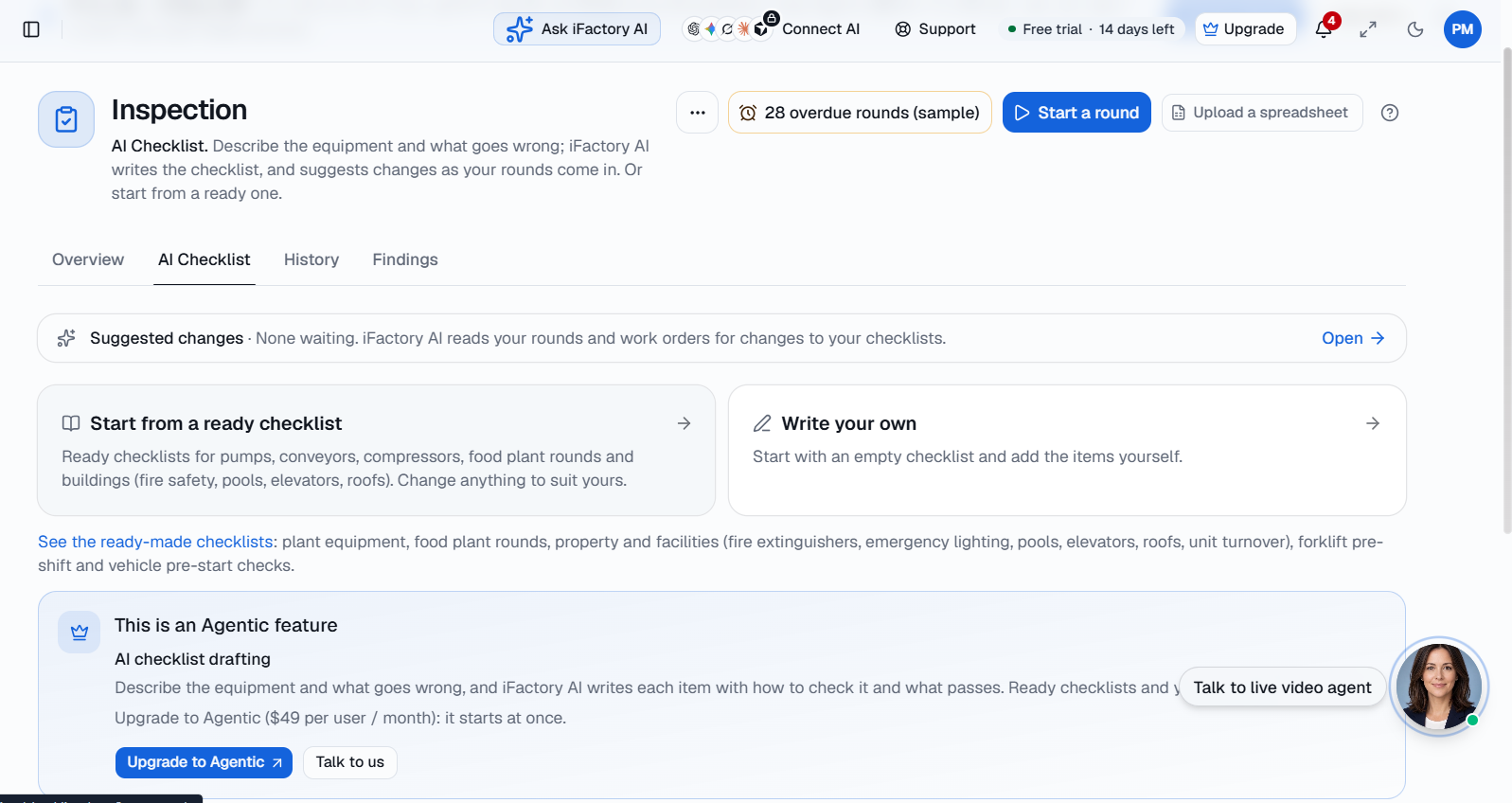
Checklists drafted from your own breakdown history
Each item says what to check, how to check it and the limit that passes, so anyone on any shift does it the same way.
- Describe the equipment and what goes wrong, and iFactory AI drafts the items
- Eight ready checklists for pumps, conveyors, compressors, cranes and more
- Check every limit against the OEM manual before the first round
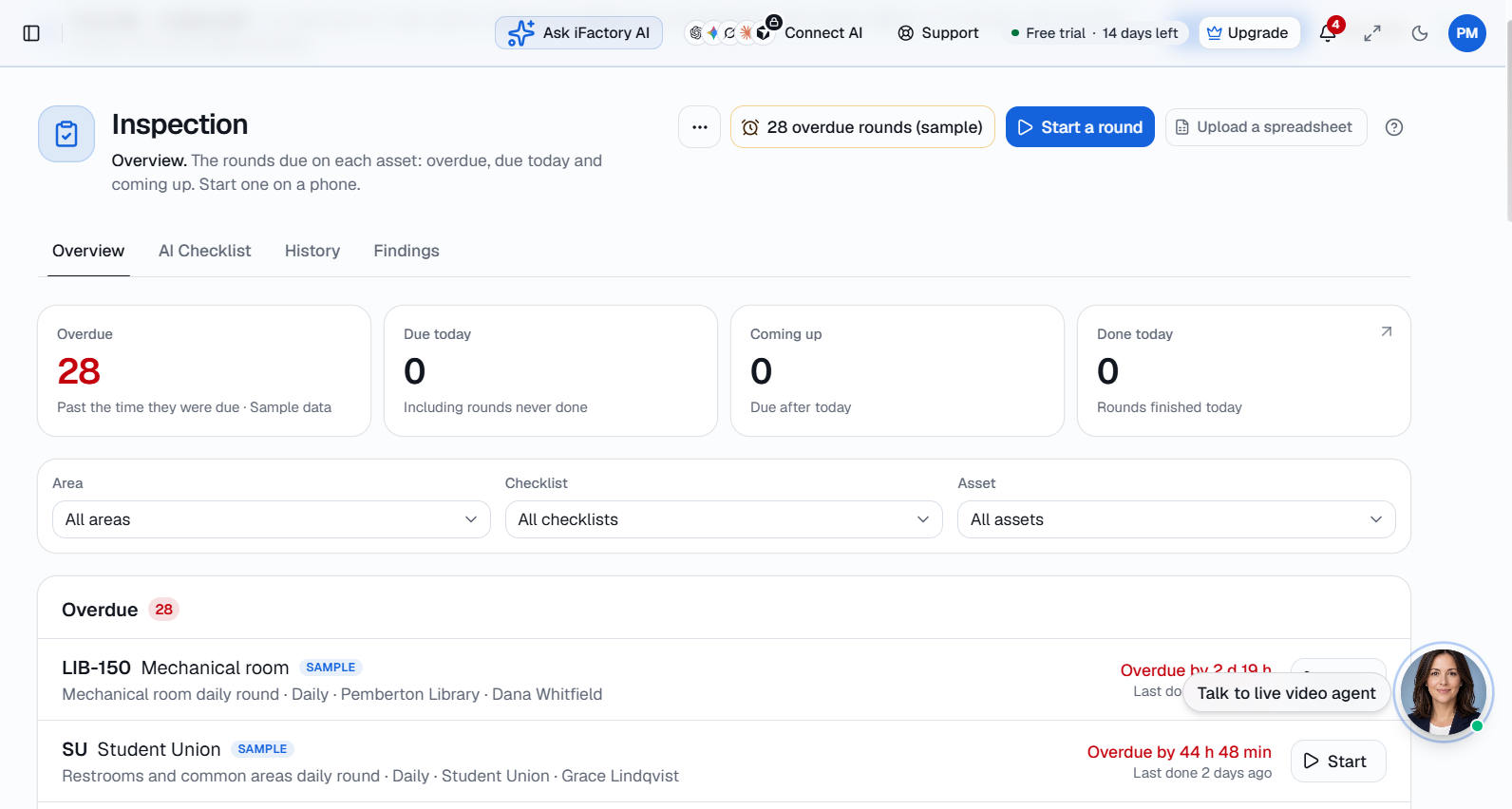
Rounds on a phone, the late ones first
Each checklist runs every shift, day, week or month, on every asset of a type or on chosen ones.
- Mark each item OK, failed or not applicable
- A photo and a note on anything that fails
- Runs in the phone's browser, with no app to install
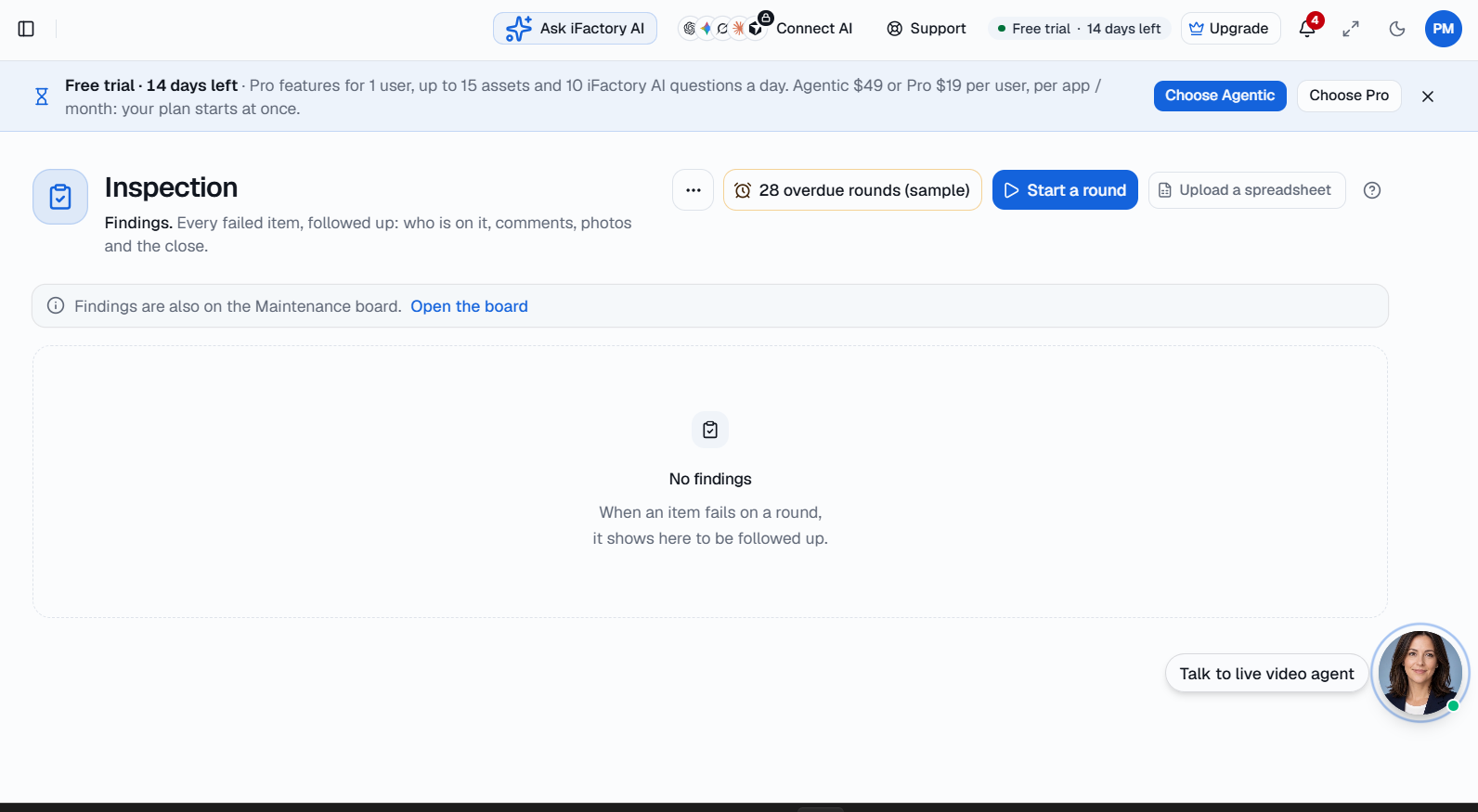
Every failed item followed up to a close
A failed item becomes a work order with the item's priority and due time.
- The photo, the note, how to check and what passes come with it
- Each finding shows its owner and how long it has been open
- With Maintenance as well, findings land on its board
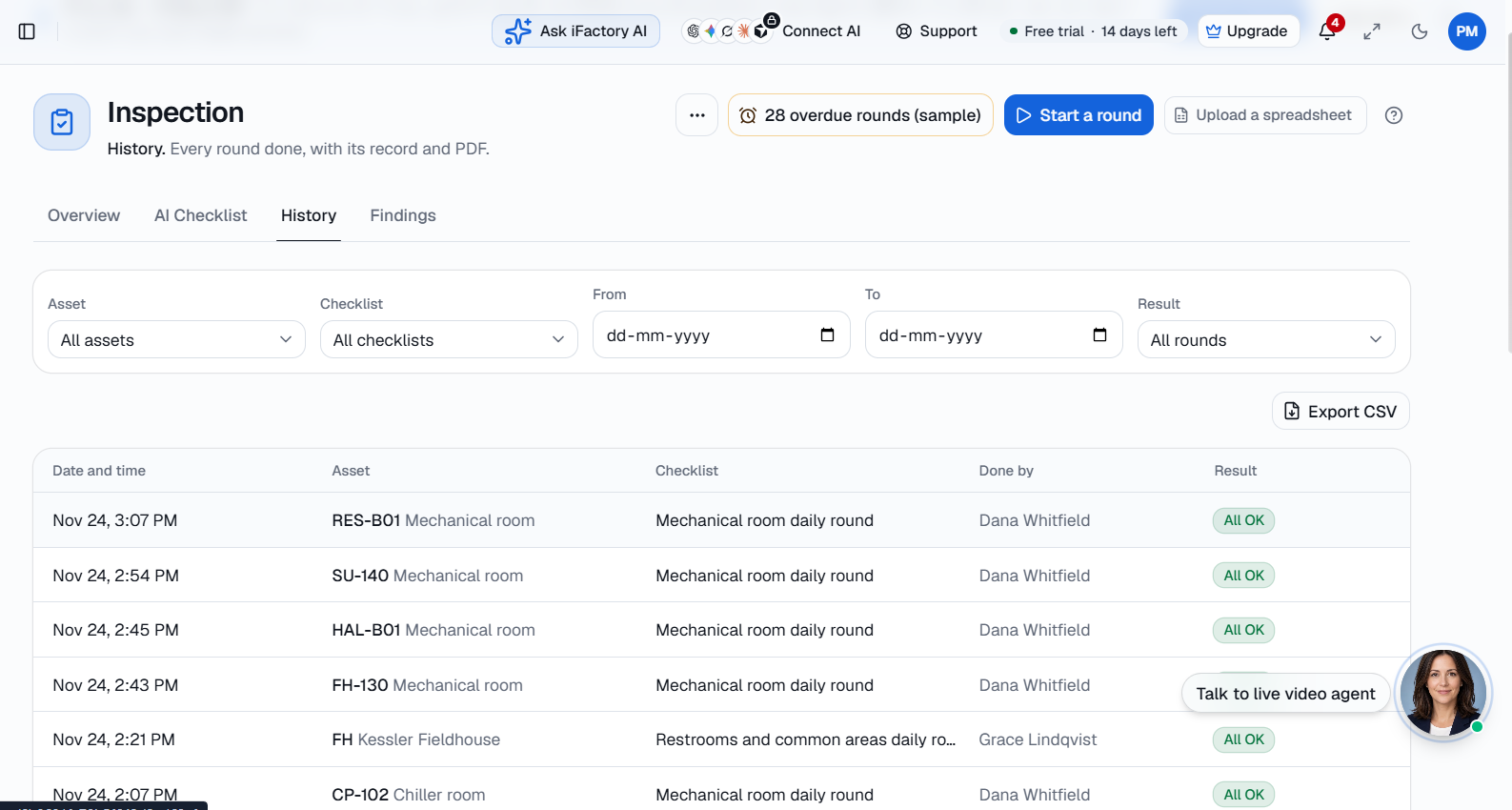
The record of every round
Open any past round to see exactly what was found, and print it.
- Who did it and when, with each item's result and the limit on the day
- The photos, notes and findings it raised
- A one-page PDF with lines to sign
Included with every tool
The basics your team needs from day one.
Your whole team
Invite colleagues; owners and admins manage access.
iFactory AI
Ask questions and get answers from your own records.
Your data stays yours
Export everything to Excel or PDF, any time.
Hosted in the United States
Each company's records are kept separate.
Built for the people who run the rounds
Inspection works alone, or with Maintenance on the same assets.
Maintenance supervisors
Set what to check and how often, and see which rounds are late.
Reliability engineers
Spot items that keep failing and repeat failures on the same asset.
Production supervisors
Mark checks at the machine and raise a finding with a photo.
Plants that run Maintenance too
One asset list, with findings landing on the board as work orders.
What changes on the floor
Warnings are caught while they are still cheap to fix.
Warnings caught early
A warm bearing or a weeping seal is found before it is a breakdown.
Rounds done on time
Late rounds come first, so fewer failures slip through.
Repeat failures stand out
The same item failing again on the same asset is easy to see.
Checklists that keep up
Items that keep failing or never find anything get a suggested change.
Questions maintenance teams ask
Short answers before you start.
Do we need the Maintenance app too?
Can iFactory AI write our checklists?
Does iFactory AI keep the checklists up to date?
Does it work on a phone?
What does the record of a round show?
Can I bring my existing spreadsheet?
Do I need a card for the trial?
Run your first inspection round on a phone
Let iFactory AI draft a checklist from your breakdown history, or start from one of eight ready ones. Every failed item then gets an owner and a due time.
Start free trial